Your photo archive, verifiable for decades.
Stampla stamps every photo and video with its own identity: when it was captured, and what it contains — a name derived purely from the file itself. Nothing to maintain, nothing to lose: the archive can prove its own integrity at any time.
What the name buys
Everything on one timeline
Sorting by name is sorting by capture time — across every camera, phone and scanner. IMG_0001 (2).jpg never happens again.
Verifiable
The name is reproducible from the file, so the whole archive can be re-checked at any time: corruption is told apart from legitimate edits, and duplicates identify themselves.
Groups stay whole
A RAW file, its sidecars and its edits form one group — everything shares the master’s name and is renamed together, atomically.
From memory card to verified archive
The desktop app covers the whole workflow: import cards, check the archive's health, fix names, undo anything. Every action is a preview first — nothing changes until you say so.

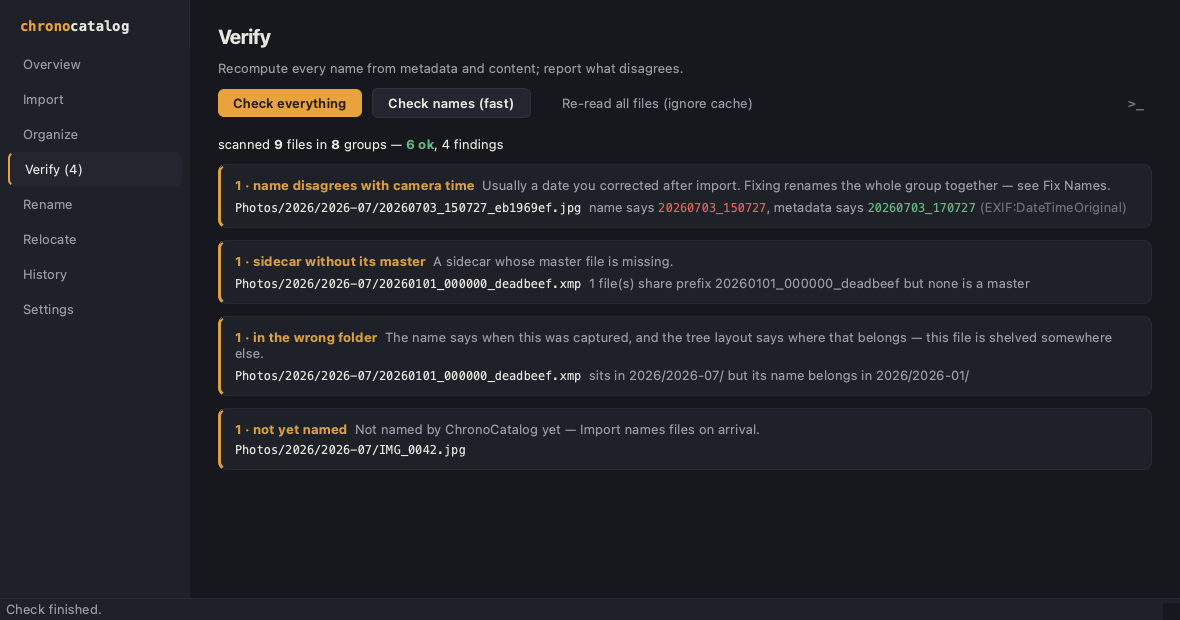

- Safe by default — previews everywhere, one Apply, journaled changes with one-click Undo, and Resume for interrupted runs.
- Built for real archives — live progress with a Stop button, tested against hundreds of thousands of files.
- Nothing hidden — every action can show the exact terminal command it stands for.
- Grows with the archive — file event shoots into their own folders, or change the naming scheme with a guided, verifiable migration.
First launch: macOS asks you to approve the app in System Settings → Privacy & Security — the build is not notarized yet.
Free and open source — also on PyPI for any platform, source on GitHub.
Plays well with your catalog
Lightroom Classic
▸ Collections
▸ Portfolio
▸ Holiday album
Publish Services
● Folder tree
Published/
2026/
2026-07/
20260703_150727_9b677b64_nef.jpg
20260703_151204_2af18c05_nef.jpg
plain files — nothing needed to read them
Shooting through Lightroom Classic? The publish plugin keeps a plain folder tree in step with your catalog — and the archive tools respect what Lightroom manages, handing renames to it instead of breaking its links.
Nothing changes until you say so
Every tool is a dry run unless explicitly applied. Applies are validated as a whole before anything is touched, journaled before the first change, applied atomically per file group, resumable after an interruption and revertable afterwards — undo re-verifies content before deleting anything. A file whose capture time cannot be resolved is reported, never renamed. Nothing is ever overwritten.
The same engine, from the terminal
stampla import /Volumes/CARD --apply
DSC_0001.NEF Photos/2026/2026-07/20260703_150727_9b677b64.nef
DSC_0001.xmp Photos/2026/2026-07/20260703_150727_9b677b64.xmp
card fully accounted for: 1 group imported and verified — safe to formatThe engine is a dependency-free Python package — stampla on PyPI (Python 3.11+, ExifTool on PATH). --json and --json-stream make every command scriptable; the command guide has the details.